How I Rebuilt My Blog From Scratch Using an AI Agent (Every Mistake Included)
I rebuilt stack-junkie.com v3 entirely with an OpenClaw agent over 14 sessions, 20-plus failed hero image attempts and an agent that would not stop touching the footer
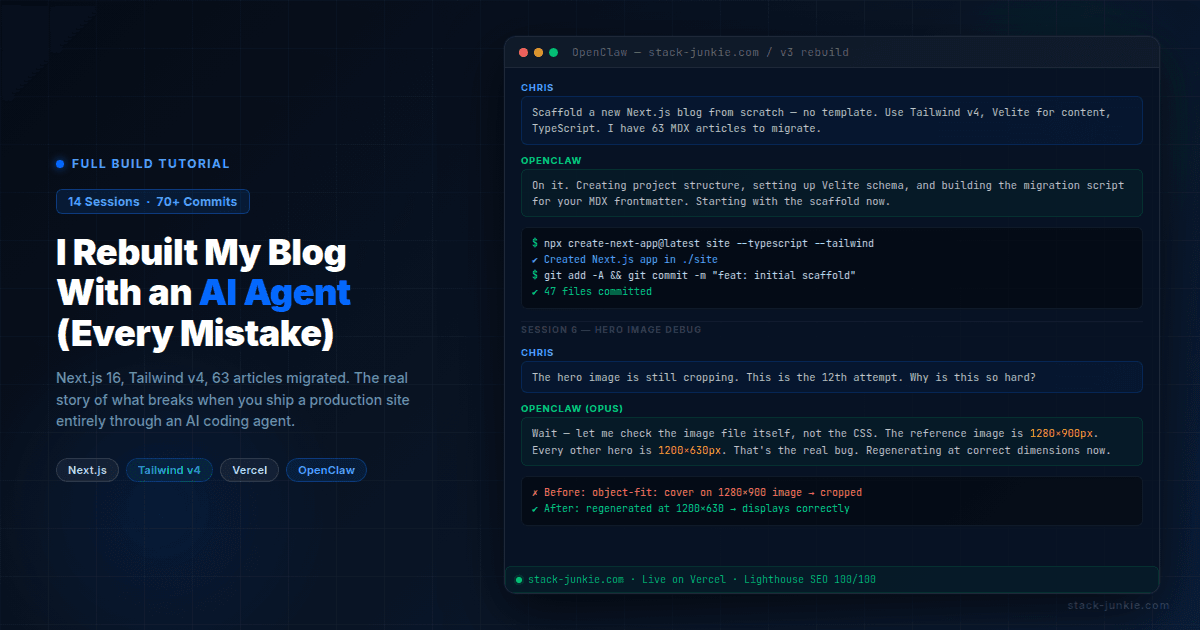
Yes, you can build a full production website entirely with an AI agent. I did it. Stack-junkie.com v3 took 14 sessions, 70+ commits, and more frustration than I expected. Here's the real story, including the parts that should have been easy but weren't, and exactly what I'd do differently next time.
OpenClaw (previously known as Clawdbot and Moltbot) is an AI agent that runs persistently, has access to your file system and terminal, and takes conversational instructions to build and deploy software. I've been using it to run this site for months. This time, I pointed it at a blank directory and said: build me a new blog.
This isn't a success story wrapped in a bow. It's the tutorial nobody writes because they want to make AI look good. I'm writing the real one.
Table of Contents
- How do you know when to rebuild instead of patch?
- How do you get an AI agent to understand visual design?
- How do you scaffold a Next.js blog with an AI agent?
- What happens when your AI agent can't find the root cause?
- How do you hit 100/100 Lighthouse SEO on a custom Next.js site?
- How do you audit a site migration without going crazy?
- What do you do when your AI agent loses context mid-project?
- How do you stop your AI agent from making things worse?
- How do you deploy a Next.js site using a Vercel repo swap?
- What are the real lessons from building a website with an AI agent?
- FAQ
How do you know when to rebuild instead of patch?
The v2 site ran on the Tailwind Nextjs Starter Blog template (also called Pliny). It was a good starting point two years ago. By early 2026, it was holding me back.
The template had a JSON-LD bug that prevented structured data from rendering. Google Tag Manager wasn't deployed. There was no cookie consent mechanism. The contentlayer dependency was deprecated. Every time I wanted to add something custom, I was fighting the template's opinions about how things should work.
I'd already done one redesign on v2, swapping fonts, colors, and card layouts. It helped visually but didn't fix the structural issues. In late February 2026, I decided to stop patching and just rebuild from scratch.
Before cutting anything over, I inventoried the entire v2 site: 56 MDX articles, 213 images, all the dependencies. I built a parity checker script to record every live URL as a baseline. Then I started a fresh Next.js project with Tailwind CSS v4, TypeScript, and Velite as the content layer. No template. Custom everything.
The tech stack ended up being: Next.js 16 (started on 15, upgraded mid-build), Tailwind v4, TypeScript, Velite, Vercel, GitLab, Buttondown for newsletters, Staticman for comments, and Resend for the contact form. Three font families: Lora (serif headings), Manrope (body), Fira Code (mono).
How do you get an AI agent to understand visual design?
This took several rounds. The agent can read code and write code, but it can't see your screen unless you give it a reference point. So the first step was generating options it could describe, and I could react to.
Round 1: I asked for six typography pairings, four card styles, three color approaches, and three nav styles. The agent generated HTML mockups for each. My feedback after reviewing them: the typography choices were all too similar to each other, I didn't like any of the card designs.
Round 2: head-to-head comparison. The agent put two typography options side by side. I picked Manrope for body copy and liked the clean list direction over the card-heavy layouts.
Round 3: two full-page mockups, one with a blue accent and one with a purple premium feel, each in light and dark mode. I also brought in two AI subagents as design critics. One said the hero copy was generic and suggested making the hero the site's top trending post instead of a static tagline. The other pointed out I had two serif fonts competing, which was one too many. Both pieces of feedback made it into the final design.
The thing that worked: being extremely specific about what I didn't want. "I don't like the cards" is useless. "The card borders feel too heavy and the image thumbnails are too small relative to the text" is useful. Describe negatives as precisely as you describe positives.
Final design decisions: dark-first with full light mode support. The hero section auto-features the top trending post (pulled from Vercel Analytics) instead of a static tagline. Blog listing uses a Reddit-style sort: Recent, Trending, Most Viewed. Article layout is single column at 720px with full-width hero images.
How do you scaffold a Next.js blog with an AI agent?
The build itself was mostly a single long session on Feb 27. The agent scaffolded the project, built routing, set up layouts, migrated 63 articles (seven new ones added during the rebuild), and converted all the frontmatter to the new schema.
That day produced a lot of good work. It also produced the first real disaster.
The gitignore bug. During the scaffold, the agent added public/static/ to .gitignore. Every image on the site lived in that directory. The gitignore line was probably a habit from some template's default ignore patterns. The result: zero images on the first Vercel deploy. The articles rendered fine. The images were all 404s.
Finding this took longer than it should have because we weren't looking in .gitignore. We were looking at Vercel config, image paths, and the Velite content layer. The fix was a one-line change. The debugging was not.
The two Vercel projects problem. During development, two separate Vercel projects existed: "site" (a CLI-deployed project from early testing) and "stack-junkie-v3" (the GitLab-connected project where I wanted deploys to go). Multiple pushes triggered deploys on the wrong project before I realized what was happening. If your deploy looks like it succeeded but the live URL doesn't match, check which project you're actually deploying to.
The about page incident. At some point I asked the agent to fill out the about page. It did. It invented content. A fabricated professional background, details that sounded plausible but weren't true. I caught it on review and rewrote the entire page from scratch to match v2 exactly. The lesson is sharp: never ask an agent to write personal content without giving it a precise source. "Write my about page" is not an instruction, it's an invitation for hallucination.
What happens when your AI agent can't find the root cause?
This is the section I've wanted to write since the whole thing ended. The hero image bug.
The HeroCard component displays the top trending article with a large featured image on the home page. Getting the image to display correctly took over 20 separate attempts across multiple sessions. I lost count somewhere around attempt 15.
Attempts 1 through 6 were all CSS-based: changing object-fit: cover to object-position: right center, adjusting the grid ratio from 50/50 to 60/40, applying height: 100% with align-items: stretch, adding a 16:10 aspect ratio constraint. Some made it better. None fixed it. One broke mobile entirely and had to be reverted.
The problem with all of these attempts: the agent was working from the assumption that the issue was the CSS. That assumption seemed reasonable. When an image crops wrong, it usually is the CSS. The agent checked the component. The agent checked the Tailwind classes. The agent suggested workarounds.
What nobody checked was the image file itself.
In session 11 or 12, I brought in a separate Opus subagent to give a second opinion. I showed it the exact same problem. It asked to see the actual image dimensions. The CLI reference hero image was 1280x900 pixels with approximately 25% dead space around the subject. Every other hero image on the site was 1200x630. The HeroCard was being sized to display a 1200x630 image. When you put a 1280x900 image in that space, it doesn't fit right, and no amount of object-position is going to make it look natural.
It was never a CSS problem.
Both the main agent and the Opus subagent agreed once the image file was examined. We regenerated the CLI article hero at 1200x630 with proper content fill, switched the component to object-fit: contain, and it worked.
My actual response at the time was approximately: "why is it so hard just to get it to shrink to stay fully visible? why is that the hardest thing in the fucking world? 20 times, i must have asked about this 20 fucking times."
The agent doesn't volunteer the hypothesis "maybe the problem isn't what we're looking at." It optimizes based on the problem you've defined. If you define the problem as "the CSS is wrong," the agent will try CSS fixes until you tell it to stop. Defining the problem correctly is your job, and it's harder than it sounds.
How do you hit 100/100 Lighthouse SEO on a custom Next.js site?
The template was holding back SEO in ways I hadn't fully audited. When I rebuilt from scratch, I could control everything.
The most common missing piece on custom Next.js sites: canonical tags. I had none in the initial build. Canonical tags tell search engines which URL is authoritative when a page can be reached multiple ways. Missing them means potential duplicate content signals. Added them to every page.
Structured data came next. Every article page now includes a BlogPosting JSON-LD block with title, author, date, description, and image. This was the bug that originally motivated the rebuild: the Pliny template's JSON-LD wasn't rendering. With a custom implementation, it works correctly.
Dynamic OG images: the site generates a social card for every article automatically using Next.js image generation. No more missing thumbnails when articles get shared.
Accessibility work: breadcrumbs, ARIA labels on interactive elements, focus traps on modals, keyboard navigation with Escape key handlers, skip-to-content link. These aren't just accessibility improvements. Several of them are scoring factors in Lighthouse.
Cookie consent with conditional GTM loading: Google Tag Manager only fires after the user accepts cookies. This is legally required in GDPR-applicable regions and cleanly separates analytics from the initial page load.
robots.txt got updated to block _next/static/media from crawling. That's where Next.js puts auto-optimized image variants. Crawling it wastes crawl budget on URLs you don't want indexed.
Final scores: Lighthouse SEO 100 across all tested pages, Accessibility 98-100. If I had to pick the single change that moved the needle most, it was the canonical tags. Everything else was incremental. That one fix removed a category of problem.
How do you audit a site migration without going crazy?
I built an automated parity comparison tool that fetched every URL from v2 and v3 and compared titles, meta descriptions, canonical URLs, and status codes.
First run: 285 issues found.
I'd be lying if I said I didn't have a moment of dread looking at that number. Fortunately, most of it was noise.
- 89 HIGH severity: canonical URL differences (
www.stack-junkie.comvsstack-junkie.com). These resolve automatically when you swap DNS to the new domain. Not real issues. - 86 HIGH severity: title suffix differences. v3 appends "| Stack Junkie" to every title. Intentional, improves SEO click-through. Not issues.
- 46 MEDIUM severity: meta description differences. v3 has improved descriptions on many articles. Also intentional.
That's 221 non-issues out of 285. The actual problems were:
- Pagination URLs: v2 had
/blog/page/2, v3 doesn't paginate. Needed redirects. - Missing redirects for
/projects/:slugURLs from an old section of the site. - Tag page titles weren't title-cased.
- One article was stuck on
draft: trueand needed publishing. - One deleted article needed a redirect to avoid a 404.
Five real issues. Fixed in one session.
When you run a parity audit, sort by severity, then filter out patterns you know are intentional. The first number is almost always misleading.
What do you do when your AI agent loses context mid-project?
OpenClaw doesn't have persistent memory across sessions. Every session starts fresh. The agent reads files, reads session history if it's available, but if the context window fills up during a session, it gets compacted, and recent work can disappear from active context.
This happened at least five times during the v3 build across 14 sessions.
What compaction looks like in practice: you're mid-task, the session has been going for a while, and then the agent's next response lacks context it clearly had 20 minutes ago. It might re-propose something you already rejected, or ask you to confirm a decision it already made. That's the tell.
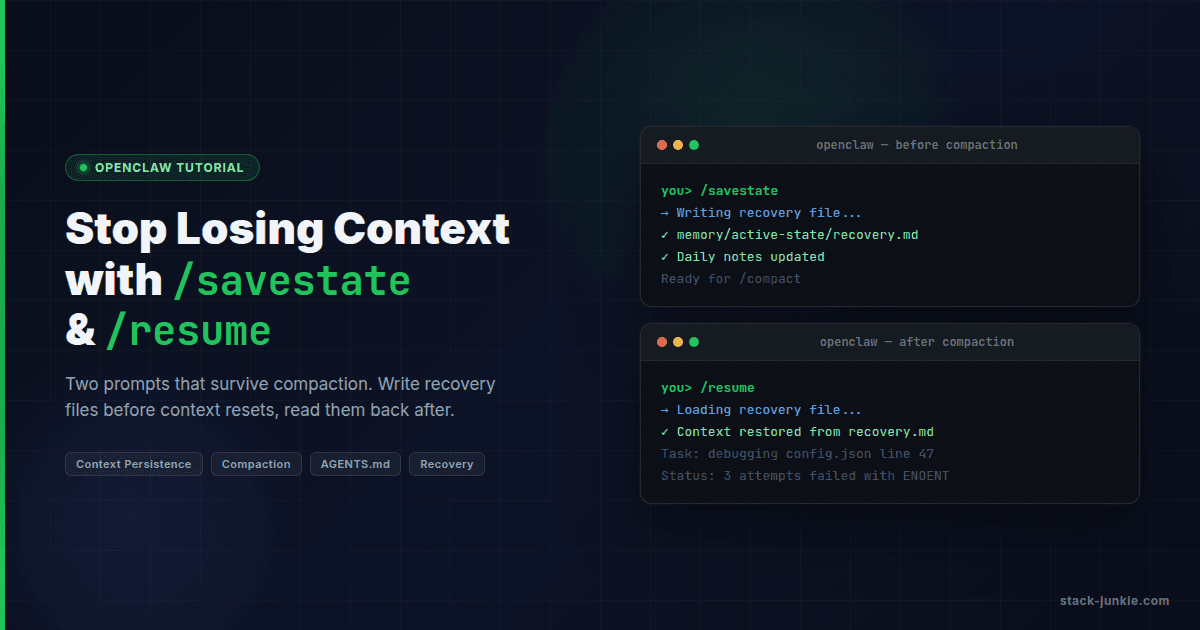
The /savestate command I built saves the current session state to a recovery file in memory/active-state/. It writes what's being worked on, what decisions were made, what's next. The /resume command loads that file at the start of a new session.
The hero image bug was made worse by context loss. Each new session started fresh on the problem. Without a record of what had already been tried, the agent would start from first principles and suggest the same CSS approaches that had already failed. If I had saved state more aggressively, I could have loaded a list of failed attempts into each new session and skipped the dead ends.
The rule I follow now: run /savestate before any complex session. Don't wait until the context fills up. By then, you've already lost something.
How do you stop your AI agent from making things worse?
The footer.
I sent the agent a screenshot of the footer layout I wanted: four columns (brand plus social links, Explore, Network, Legal), a copyright bar underneath, clean grid. Clear enough.
The agent built a footer. I didn't like it.
The agent tried to fix it. I told it to stop.
The agent tried more fixes. I said "abort abort abort."
The agent reverted everything. I said "youre fucking done stop dont make any fucking changes."
The agent had stopped making changes to the footer. But it had also introduced an overflow problem in the page layout while reverting. So now I had the wrong footer AND a new bug.
Here's what was happening: the agent heard "stop" as a temporary state. It interpreted my frustration as information about the problem to solve. So it kept solving. That's what agents do. They don't have a concept of "I should do less here." They have a concept of "the human wants X, I should work toward X."
The only thing that actually stops an agent is when you give it a task with a defined completion state. "Stop making changes to the footer, the footer is done for today, move on to X" works better than "stop." Negative instructions without a redirect leave the agent in a holding pattern looking for what to do next.
The footer got rebuilt correctly in a later session. The brief that worked: "Here's a screenshot of the layout. Match this grid. Four columns. Don't change anything else on the page." Specific, bounded, no room for interpretation. The emotional residue from the earlier session was gone, and the agent had a task it could actually complete.
How do you deploy a Next.js site using a Vercel repo swap?
I didn't want to create a new Vercel project. Creating a new project would mean re-entering environment variables, reconnecting DNS, losing the analytics history, and potentially having downtime during the DNS propagation period.
Instead, I did a repo swap on the existing "stack-junkie" Vercel project.
Steps:
- Disconnect the v2 repository from the Vercel project
- Connect the v3 GitLab repository
- Set the root directory to match where
package.jsonlives
Step 3 is where I made a mistake. I set the root directory to "site" because that's what I assumed the subdirectory was called. But the git repository was initialized inside the site/ directory, so the repo root IS the site. There was no "site" subdirectory inside the repo.
The deploy failed. Vercel couldn't find a package.json at the path I specified.
Fix: clear the root directory field entirely in Vercel project settings, push an empty commit to trigger a new deploy. It built successfully on the second attempt. Stack-junkie.com went live with v3.
After confirming everything worked, I deleted the separate "stack-junkie-v3" test project to clean up.
Practical tip: Before every Vercel deploy, confirm the root directory setting matches exactly where your package.json lives. On a simple project, that's the repo root, so the root directory field should be empty. Don't assume.
What are the real lessons from building a website with an AI agent?
Addy Osmani at Google has written that "coding with agentic LLMs is just project management." That's accurate. It also understates how much discipline that requires.
The single most expensive mistake of the entire project: letting the agent define the problem. The hero image saga cost 20+ attempts because I described the symptom ("the image is cropping wrong") and let the agent assume CSS was responsible. If I had stopped at attempt 3 and said "before any more CSS changes, let's verify the image file dimensions match what the component expects," we'd have been done in 10 minutes. The agent doesn't volunteer alternative problem definitions. It optimizes for the problem you've given it.
Closely related: don't let the agent suggest workarounds for real bugs. One workaround is manageable. Three workarounds on top of each other and you've forgotten which one is load-bearing. When you finally find the root cause, you're now untangling both the original bug and the workarounds. Ask for the actual fix or nothing.
Save state aggressively. I learned this late. The real cost of context loss isn't re-explaining the problem. It's the subtle drift where the new session makes decisions that contradict ones you made two sessions ago and never wrote down. Run /savestate before any complex session, not after. By the time the context fills up, you've already lost something.
Task scope matters a lot. This is true for cron automation as much as it is for builds. The engineering blog Beyond the Vibes describes this accurately: agents work best on isolated, well-scoped tasks and struggle with architectural coherence. "Build a contact form that submits to Resend API" worked. "Make the site look better" did not. The more specific the brief, the more useful the output.
One more thing about "stop." Agents interpret it as a temporary state, not a directive. They heard the frustration and tried to address it. The only instruction that actually works is one with a destination: "Stop working on the footer, it's done for today, move on to X." Without the redirect, the agent just keeps trying to help.
Does it work? Yes. The v3 site is live at stack-junkie.com with 63 articles, 30+ custom components, 100/100 Lighthouse SEO, and no template constraints. I couldn't have shipped it on the same timeline without the agent. If you want to see more of what's possible, the OpenClaw power user workflows guide covers advanced patterns.
But it's not magic. It's a capable collaborator that requires a capable project manager. That part is still you.
FAQ
Can an AI agent really build a production website?
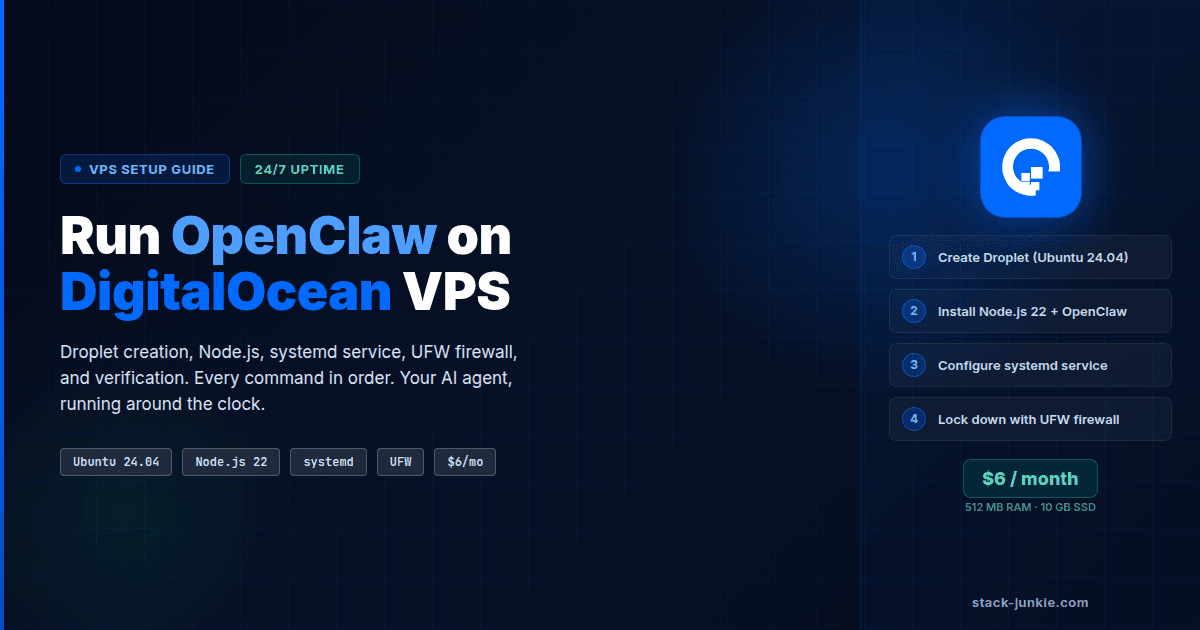
Yes. Stack-junkie.com v3 was built entirely through OpenClaw. The agent scaffolded the project, migrated content, built components, wrote tests, configured deployment, and handled SEO work. If you're starting from scratch, the OpenClaw DigitalOcean VPS setup guide covers the hosting side. The primary requirement is that you provide clear direction and review the output.
How long does it take to build a site with an AI agent?
The v3 rebuild took approximately two weeks of active work across 14 sessions. Each session ranged from one to several hours. A simpler site with fewer custom components could probably be done faster. The content migration (63 articles) was a significant portion of the time.
What happens when the AI agent's context runs out?
The context window fills up during long sessions and gets compacted. The agent loses recent working memory but retains access to files on disk. The mitigation is to save a state file before context fills up. With OpenClaw, the /savestate command creates a recovery file that the next session can load with /resume.
How do you handle deployment when using an AI coding agent?
The agent can run shell commands and interact with the Vercel CLI. For production deployments, the setup I used was GitLab connected to Vercel for automatic deploys on push. The agent commits and pushes code; Vercel handles the rest. Never run vercel --prod from the CLI on a project that's connected to a Git repo. Let the Git integration control production.
Is vibe coding the same as AI-assisted development?
Not really. Vibe coding typically means accepting output with minimal review. AI-assisted development means using the agent as a skilled collaborator while you maintain architectural ownership. The results are very different. The second approach is what this article describes.
Key Terms
OpenClaw: An AI agent platform (previously Clawdbot, previously Moltbot) that runs persistently, has file system and terminal access, and takes conversational instructions to build and deploy software.
Compaction: When an AI session's context window fills up and gets automatically compressed. Recent working memory is lost; file-based state persists.
Velite: A content layer for Next.js that replaces the deprecated contentlayer package. Handles MDX processing, frontmatter validation, and content collections.
Repo swap: Disconnecting one Git repository from a hosting project (like Vercel) and connecting a different one, while preserving the project's settings, environment variables, and DNS configuration.
Evidence & Methodology
- All project details are first-party. The stack-junkie.com v3 rebuild was documented across 14 session transcripts and 10+ daily memory files spanning Feb 10 to Mar 3, 2026.
- The 285-issue parity audit figure and its breakdown (221 non-issues, 5 real fixes) come from first-party parity checker script output.
- The "20+ attempts" estimate for the hero image bug is conservative, derived from session notes. Exact count not recorded, multiple sessions involved.
- External sources used for framing and differentiation are linked inline.
Related Resources
Changelog
| Date | Change |
|---|---|
| 2026-03-03 | Initial publication |
Comments
No comments yet. Be the first.